The specification is the product
A made to order configurator, read off a recording of it running. Every option resolves to a stored value; the render, the square footage and the price are three readings of one record.
Rev. Sep 2026 Source · 19s, 1920 × 960 Build · Confidential
Source
Everything below is read off one recording.
The build is a confidential client engagement. The configurator and the imagery pipeline in it are the studio’s work; the storefront around them, and the product photography the render is cut from, are not.
The artifact is one screen capture, nineteen seconds long, shipped in this repository and running at full bleed on the studio page. Client marks are removed. Every value below is legible in a frame of it; every figure here was cut from it.
It is a 2:1 crop of a taller screen, and the last section is a ledger of what that crop takes away.
The capture, running, on the studio pageColour
Two ways in, and one of them writes the other.
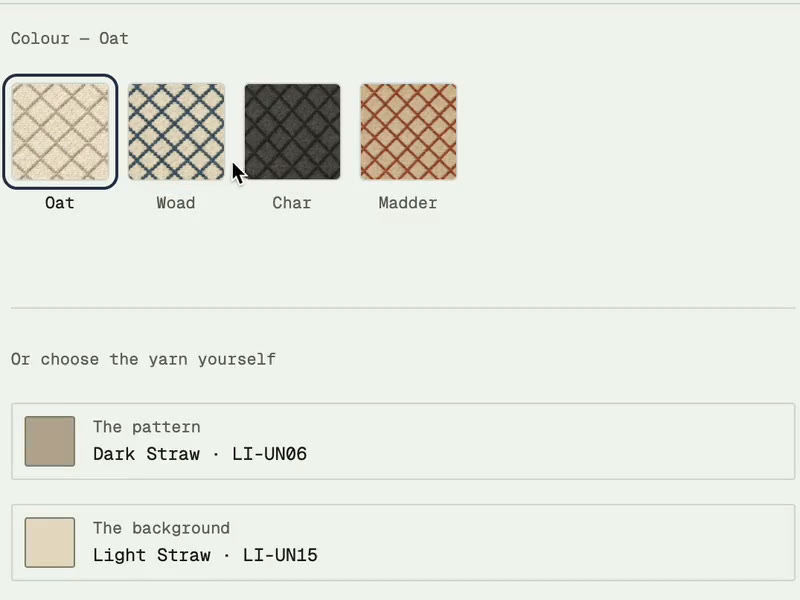
Four named colourways sit above a rule as cards. Under it, two slots name the yarns the piece is woven from, one the pattern and one the background, each carrying a flat chip, a name and a code.
Choosing a colourway writes both slots. Oat leaves the pattern slot reading Dark Straw, LI-UN06, and the background Light Straw, LI-UN15. The slots stay editable, and independently: a later frame carries Char selected while the slots read Dark Slate, LI-GY04, and Pale Flint, LI-GY17, with the render beside them drawn from the slots.
A colourway is a preset over the pair, not a mode. The record has one colour field and it is the pair.
One preset lands in the slots without a later override, which is Oat. No preset to yarn map is published here for the other three.
The library
A search, a run of families, and one card that commits.
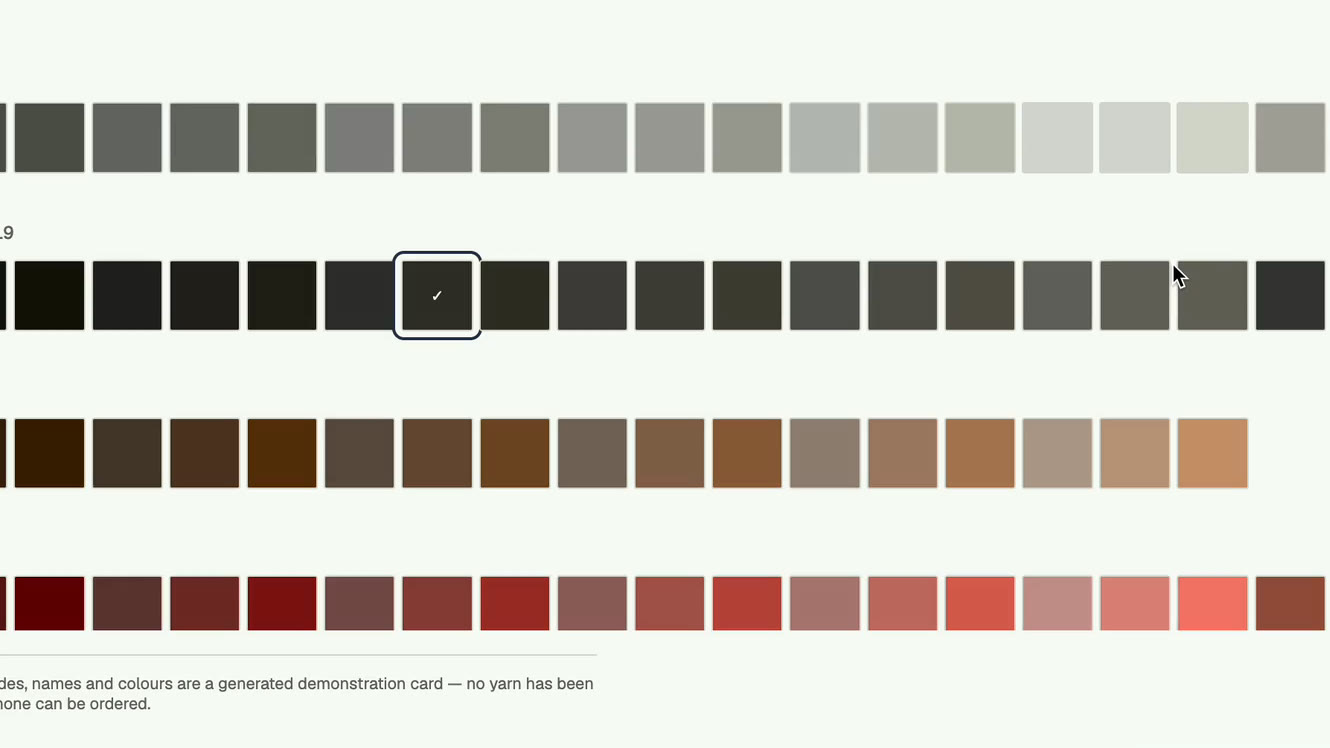
Either slot opens the yarn library over the page. One field searches it by name, code or family. Three tabs sit beside it: Core, Pastel and My colours. Core is open throughout the capture.
The grid runs in contiguous family bands, each ordered light to dark, so a reader scanning for a value rather than a hue lands in the right band by position. The applied yarn carries a check.
The detail card’s commit button carries the yarn’s own name rather than the word Apply, and the well above it states in words that no macro photograph exists rather than sitting empty. A slot for an asset nobody has made yet should name the gap.
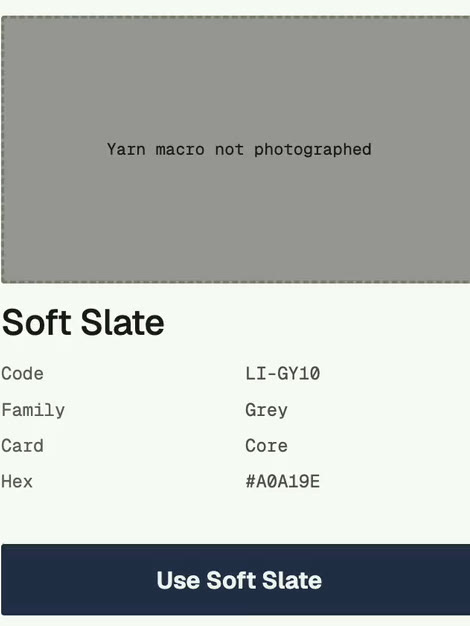
| Field | First card | Second card |
|---|---|---|
| Name | Soft Slate | Pale Ink |
| Code | LI-GY10 | LI-CH17 |
| Family | Grey | Charcoal |
| Card | Core | Core |
| Hex | #A0A19E | #6A6961 |
| Macro | Not photographed | Not photographed |
The two detail cards legible in the capture, transcribed field by field.
A standing line under the grid states that the codes, names and colours are a generated demonstration set and that nothing behind them can be ordered. No code on this page is a mill’s.
The heading at the left of each family band, and whatever count it carries, sits outside the recorded crop.
Size
Six standard sizes, each carrying its own area.
Size is two tabs: a standard size, or your measurement. The standard tab is a grid of six, each cell a dimension on the left and the area it works out to on the right.
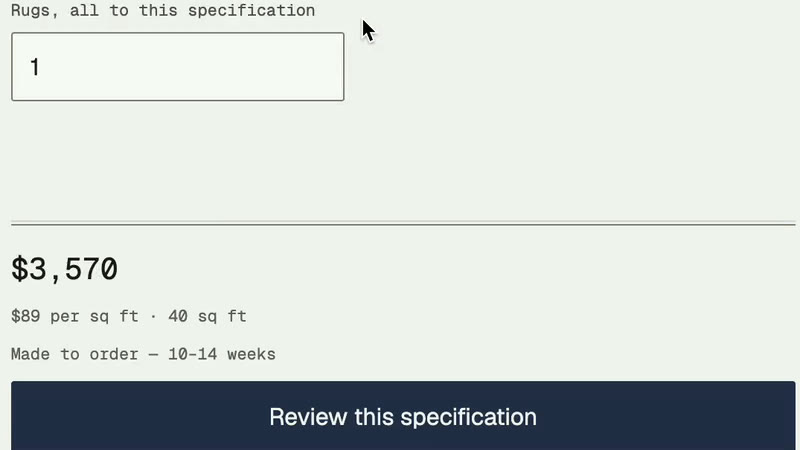
Area is the quantity the quote is built on, so it sits on the control that sets it rather than being derived later or folded into the price. Quantity sits under the grid, labelled so the unit cannot be misread: rugs, all to this specification.
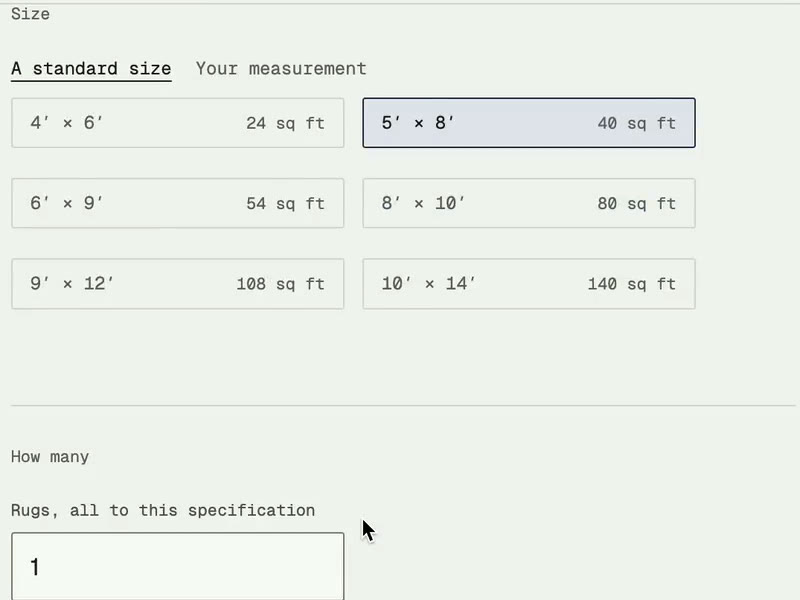
| Standard size | Area |
|---|---|
| 4′ × 6′ | 24 sq ft |
| 5′ × 8′ | 40 sq ft |
| 6′ × 9′ | 54 sq ft |
| 8′ × 10′ | 80 sq ft |
| 9′ × 12′ | 108 sq ft |
| 10′ × 14′ | 140 sq ft |
The six standard sizes and the areas the control states for them, transcribed from Fig. 04.
Your measurement is never opened in the capture. Nothing here describes what a custom size does to the quote.
The quote
The price is a reading of the area, not a column on the product.
Four lines: a total at heading size; a rate giving price per square foot and the area it was applied to; a lead time, ten to fourteen weeks; and the action, “Review this specification”. The verb is the point. At the end of a configurator that can produce a piece nobody has woven, the action is a review and not a purchase.
| Size | Area | Rate shown | Total shown |
|---|---|---|---|
| 4′ × 6′ | 24 sq ft | $95 / sq ft | $2,280 |
| 5′ × 8′ | 40 sq ft | $89 / sq ft | $3,570 |
The two quote states legible in the capture.
The first total is the rate times the area exactly: 95 by 24 is 2,280. The second is not. 89 by 40 is 3,560, which is ten dollars short of the total on screen, and 3,570 over 40 is 89.25. So the rate line is rounded to the dollar and the total is not computed from the rounded figure.
Two things follow. Rate is a function of the configuration rather than a field on the product, because it falls as area grows; and it is presented rounded, so a total reconstructed from what the reader can see will not always match the one they are shown.
The imagery
Every picture in the control declares what it is.
Three kinds of image, three jobs. The colourway cards are renders of the woven field rather than flat chips, so a card shows what the two yarns do to each other. The slots below carry flat chips, which is right in turn: a slot holds one yarn, and one yarn is one colour. The large image beside the panel is a render of the piece.
It carries a line: “Pictured 9′ × 12′. Shown in the yarns you picked.” A render that says what it is cannot be read as a photograph of the reader’s rug. Declared size and selected size are not always the same in the capture, so no claim is made that the render is redrawn per size; it does follow the yarn pair.
The mask is the assetNot documented
A capture is evidence with edges, and these are the edges.
| Not stated | Why |
|---|---|
| Library size, family counts | Run headings fall outside the crop |
| Preset to yarn map, beyond Oat | One preset lands uninterrupted |
| The Pastel and My colours cards | Never opened |
| Custom measurement | Never opened |
| What the review step opens onto | The recording ends first |
| Timing, load, any performance figure | Not measurable from a screen capture |
Each row is a thing a reader might expect this page to state. Each is absent because the artifact does not carry it, not because it is confidential.